Relato Tutorial 3
Link para o Tutorial 3: Introduction to Linux kernel build configuration and modules
No tutorial 3 aprendemos a criar módulos que podem ser “acoplados” no kernel linux.
Seguindo o conceito do blog vou discorrer apenas sobre os pontos do tutorial em que tive algum tipo de problema.
Passo 2:
Esse não é bem um problema em si, mas o tutorial informa que os registros nos arquivos Kconfig e Makefile devem estar em ordem alfabética, porém os arquivos originais já estavam fora de ordem, então apenas inseri as novas configurações no inicio de cada um.
Passo 3:
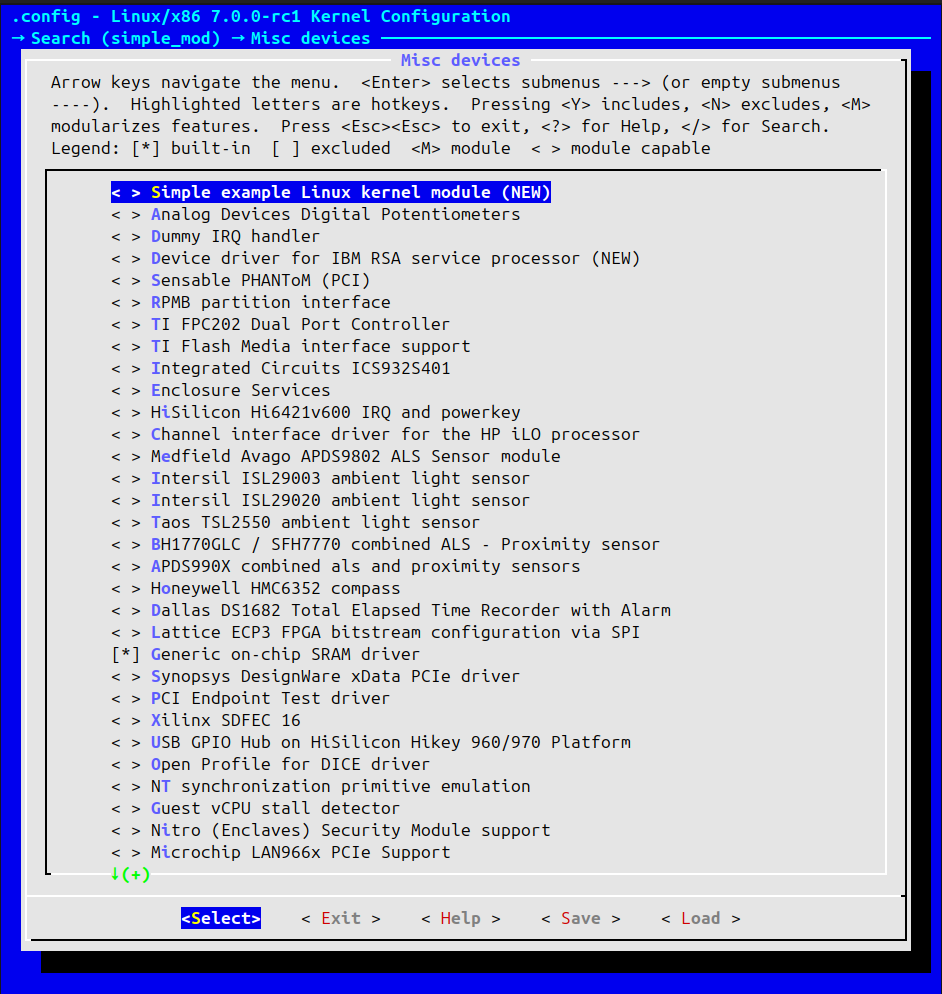
Ao Executar make -C "$IIO_TREE" menuconfig reparei que a opção apresentada no tutorial Simple Test Module não estava disponível então selecionei a opção Simple exemple Linux Kernel module (NEW):
 Então segui o tutorial até o momento de instalar os novos módulos, mas quando executei o seguinte comando:
sudo guestmount --rw --add "${VM_DIR}/arm64_img.qcow2" --mount /dev/<rootfs> "${VM_DIR}/arm64_rootfs"Fui agraciado com o seguinte erro:
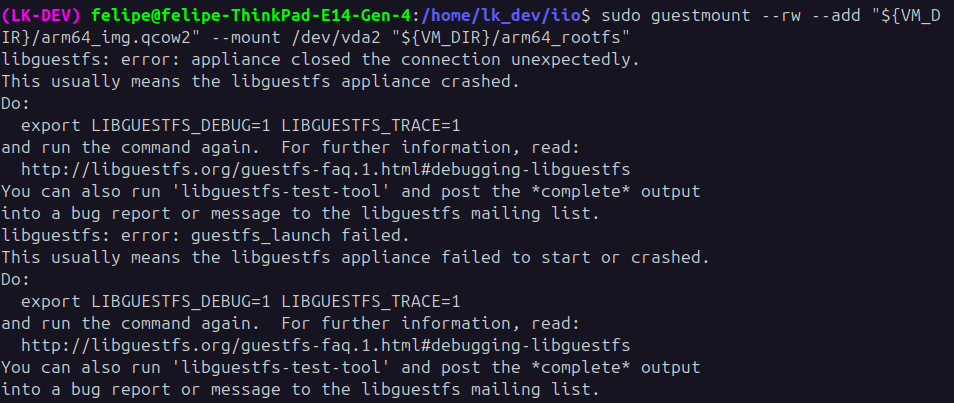 Tentei exportar as variáveis de debug mas o erro continou o mesmo, ai notei que a minha VM estava rodando, então desliguei ela e tentei rodar novamente, funcionou!
Seguindo os comandos bloco…Tive um problema no unmount sudo guestunmount "$VM_MOUNT_POINT":

Já que a variável VM_MOUNT_POINT não existe, o comando correto é o:
sudo guestunmount "${VM_DIR}/arm64_rootfs" Passo 4:
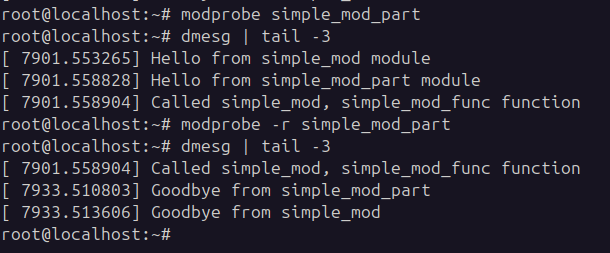
Todos os comandos rodaram sem problemas, vou deixar aqui um print do módulo funcionando:

Passo 5:
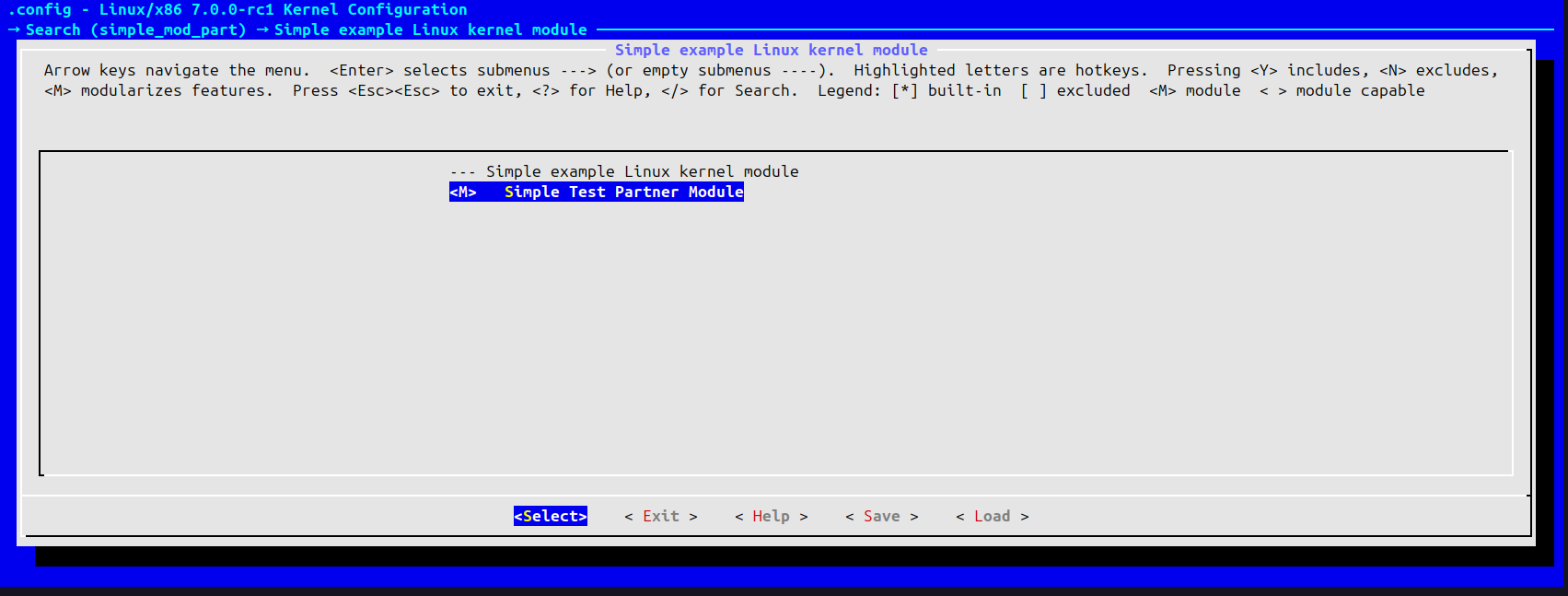
Ao executar o comando make -C "$IIO_TREE" menuconfig para configurar o simple_mod_part, selecionei a opção:
 Dai para frente não tive mais problemas para seguir o tutorial e consegui executar o simple_mod_part com sucesso dentro da VM.
Proposed Exercices
-
The .config file that comes with the arm64 VM is bloated with features built together with the kernel image (y config value) which is why even after
make localmodconfigthe .config file did not reduce significantly and the build took a lot of time. Runmake allmodconfigto turn builtin configuration values into module values when possible. After that, boot the VM, regenerate the list of needed modules as described in Part 1, runmake localmodconfigwith new list of modules. Did it reduce .config size further? How much? Does the whole kernel build take less time with the new .config? Does the resulting kernel still boot?.config size before the exercise: 179Kb
.config size aftermake allmodconfig: 419K
.config size aftermake localmodconfigwith new list of modules: 204K
If we compare the final size with the initial size it actualy got bigger, but if we compare with the size of .config with all the modules enabled it got ~51% smaller.
Build time before the exercise: ~6:30
Final build time: ~8:40
Yes, the result kernel still boots, but I cant connect to it neither usingsudo virsh connect arm64norkw ssh.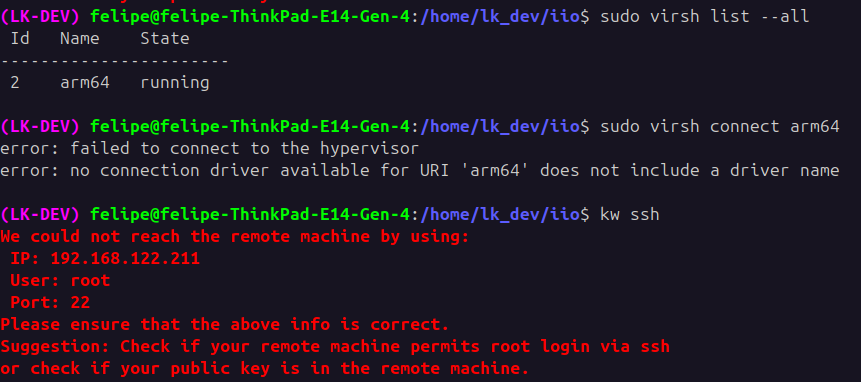
-
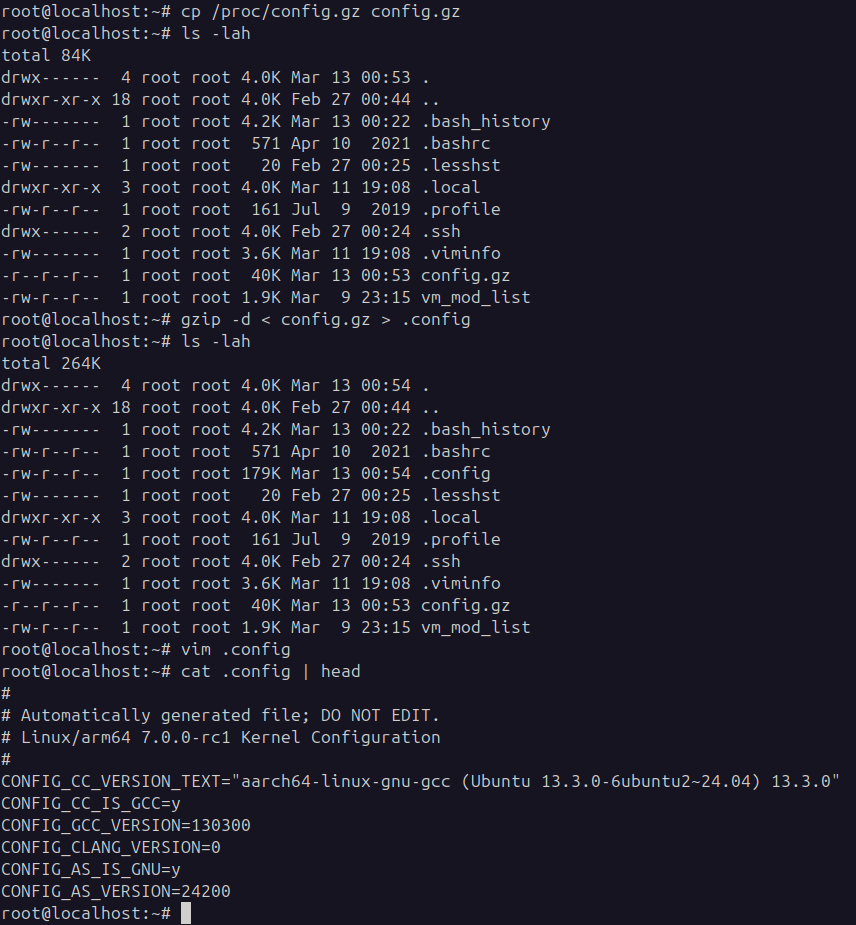
Sometimes developers lose track of what .config was used to generate a running kernel after messing arround for enough time. The in kernel configuration config (IKCONFIG) exports (imports?) the .config file used to build the kernel into the kernel image and make it later availabe as /proc/config.gz file. Enable IKCONFIG, rebuild the kernel and read your .config from /proc/config.gz within the VM.
In my case IKCONFIG was already enabled, so i just needed to read the file inside the VM:
-
Customize the log messages for simple_mod and simple_mod_part. Add
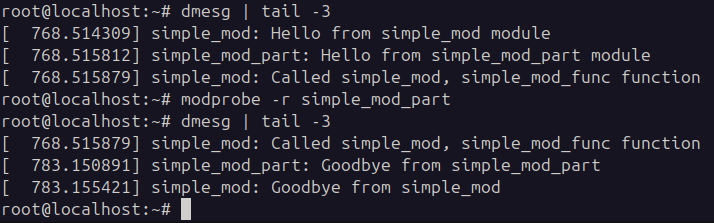
#define pr_fmt(fmt) KBUILD_MODNAME ": " fmtat the top of the module source files. KBUILD_MODNAME will expand to the module source file name resulting in every message logged throughpr_info()(and friends) being prepended by the module name. See include/linux/printk.h for documentation. Tip, add the above define before header inclusions to avoid build warnings.No problems with these, here is the logs:
Considerações finais
Achei interessante a maneira que o kernel lida com novos módulos e como podemos ver eles sendo executados.